Let customers book
and pay in LINE
Customers book 24 hours a day from your shop's LINE OA. No more answering chats, no more checking transfers, no double bookings.
Where the old way wears you out
Chats and calls all day
Customers ask if a court is free, and you answer one by one, even late at night.
A paper notebook invites double bookings
Two people get the same slot. You call to apologize and lose a customer.
Checking every transfer slip
You open your banking app to match amounts by hand, and fake slips can still slip through.
No real numbers for your venue
How many hours did you sell today? What did you earn this month? You add it up yourself.
You open the courts. The system handles the rest.
It locks slots so they can't overlap, takes payment, sends a confirmation to the chat, and checks customers in with a QR code at the counter. Customers don't need a new app.
Book in 4 steps, inside LINE
While the customer pays, the court is held for them (you set how long, usually 15 minutes), so no one else can book it. Once paid, the screen updates by itself. No slip to send.
Choose a sport and branch
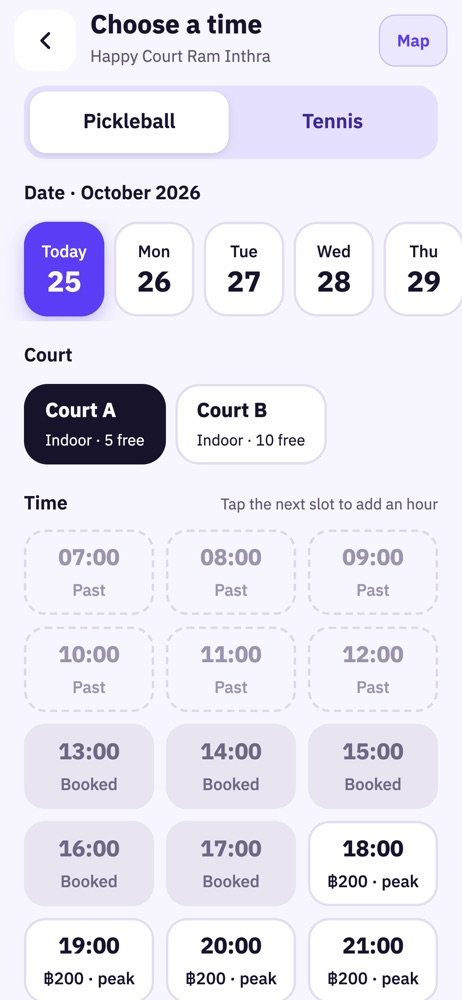
Choose a date, court and time
See the price right away
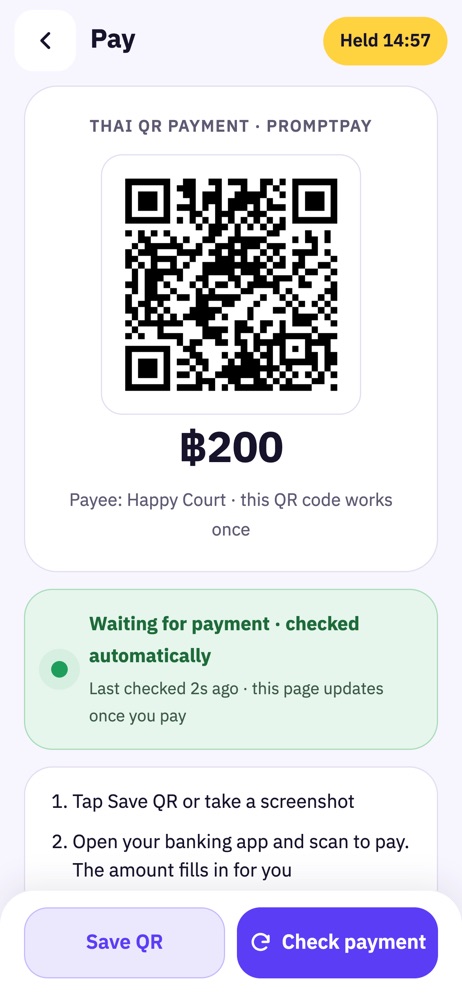
Scan the QR to pay
The system checks the amount or the slip for you
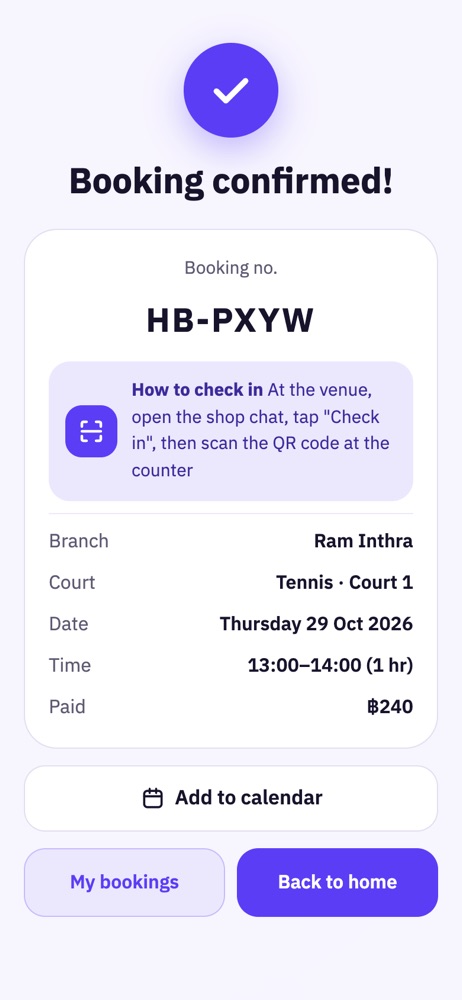
Get a booking code
plus a confirmation in the chat
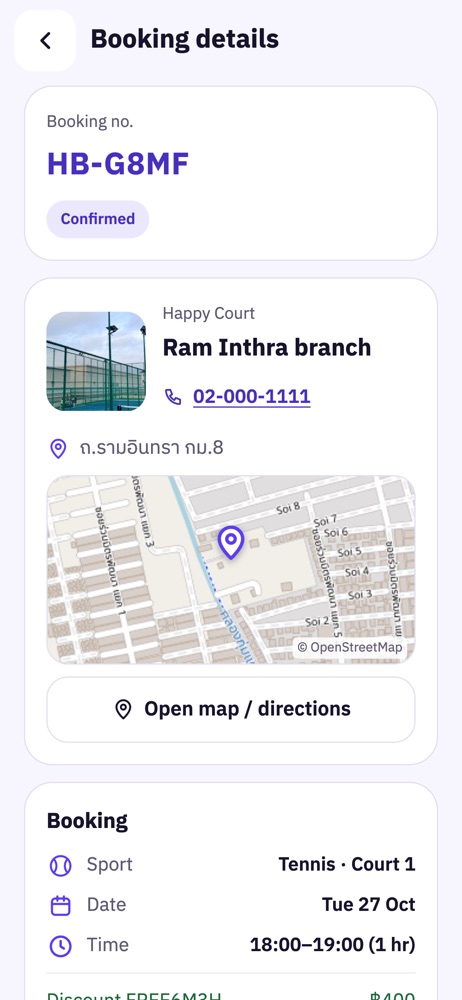
Customers see their own bookings, no need to message you
- Booking number, step-by-step status, date, time and amount paid
- Branch map, directions in Google Maps, and one tap to call the shop
- Customers cancel on their own before your cutoff time. You refund under your own policy
- Confirmation sent to the LINE chat
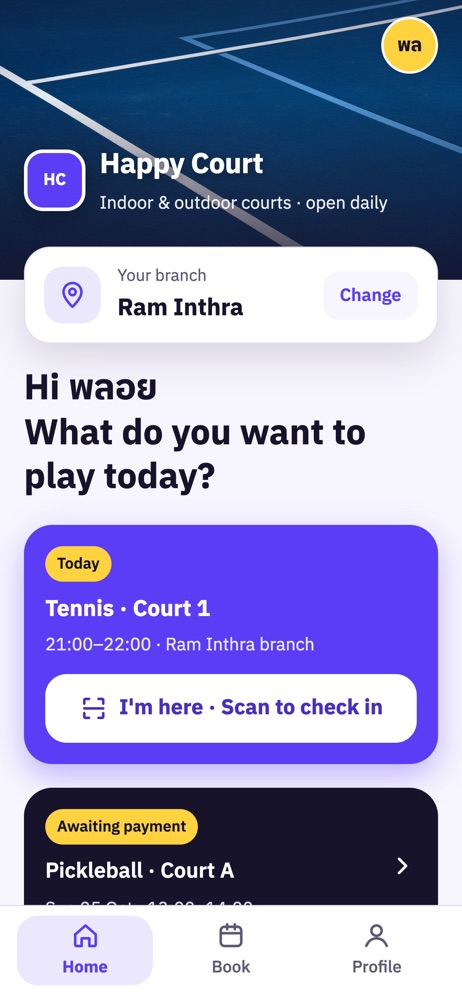
- At the venue, customers scan the QR code at the counter to check in
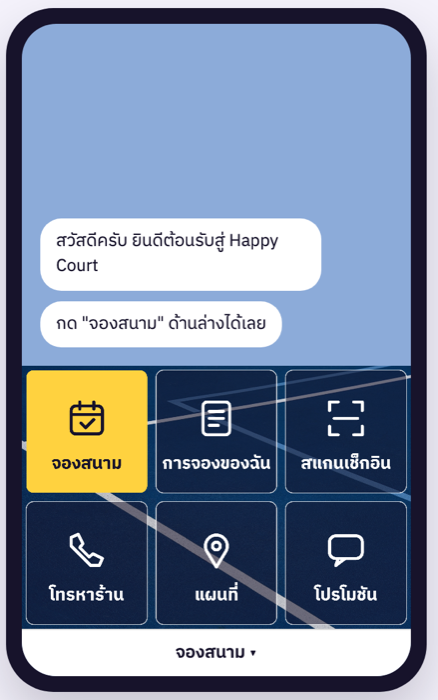
The booking page is your venue's own
- A real cover photo of your venue and a tagline on the home screen
- The chat's rich menu uses your cover photo as the background, or upload your own design
- Your logo and colors on every screen
- No app to download. Customers sign in with LINE and enter their name and number once, then get in automatically next time
A back office for tablet, computer and phone
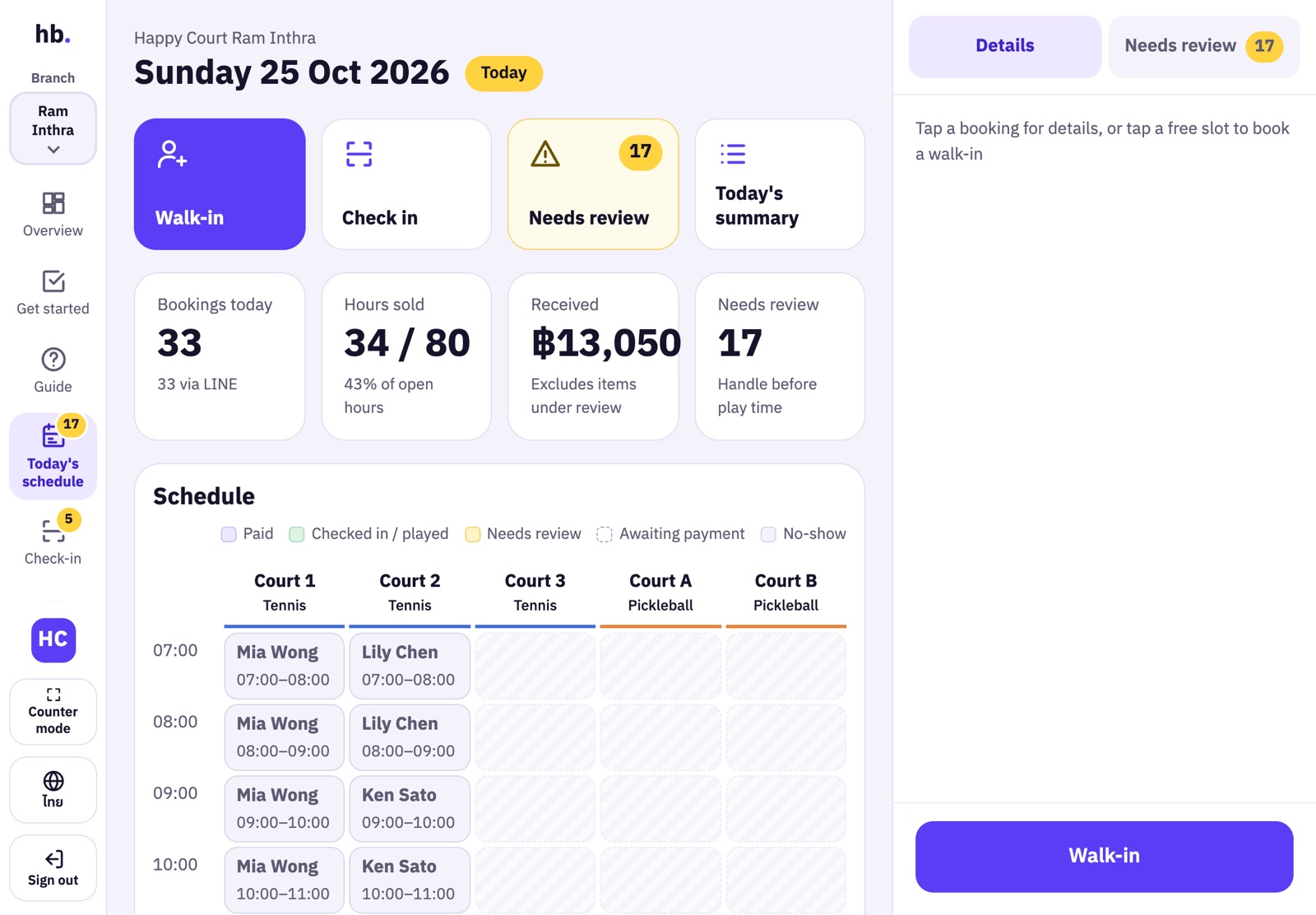
All of today's schedule on one screen
Every court, every hour. Colors show the status: paid, checked in, needs review.
- Tap an empty slot to book a walk-in right away
- Customers check themselves in with a QR code
- Everything that needs attention in one place
Money goes straight to your account
QR through Beam Checkout
Customers scan a QR code to pay, and the booking is confirmed right away. No slips to check. Money goes to your own Beam merchant account.
Your shop's QR · K SHOP / PromptPay
Customers scan your QR code and attach the slip. The system helps check the slip, and you confirm the payment in one click.
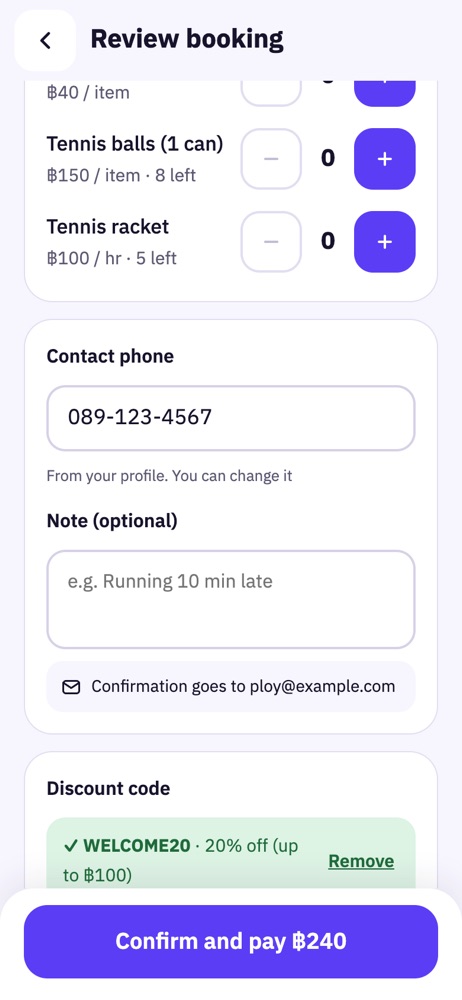
Discount coupons you create yourself
- Percent or baht off, with a maximum discount, minimum spend and expiry date
- Once per customer, and never over the limit you set, even when people tap at the same time
- Customers enter the code before paying. The QR amount is already discounted
- Copy the promo message to send in LINE in one click
Works for any venue booked by the hour
Start from a template with default prices and equipment you can edit. Name your spaces the way your venue does (court, bay or field) and add several at once.
Your shop's data is safe from day one
Customer data belongs to you
A data processing agreement (DPA) is in place, and customers give consent before booking.
Double bookings blocked by the system
Only one person can book a slot, even when people tap at the same time.
Role-based access
Staff see only their own work and branch.
Export your data
Owners can download the customer list as a CSV file.
Open for bookings in about 30 minutes
The "Getting started" page walks you through it step by step. Finish all 6 and you can open for real bookings.
- Add your logo, colors and cover photo
- Choose a sport template, add branches and courts
- Set time-based prices
- Add your shop's payment account
- Connect your shop's LINE OA
- Make a real test booking for ฿1
Not comfortable with LINE settings? The happy.booking team can connect your LINE OA for you. Just add the team as an admin.
Start free, then pick the plan that fits your venue
Sign up yourself in 2 minutes, no card needed · After 14 days, pay monthly or yearly by debit or credit card. Cancel anytime.
Free trial
Set up your shop and take real bookings from real customers.
Start free trialBefore you start
Do customers need to download an app?
No. Customers open it from your shop's existing LINE OA sign in with LINE, and enter their name and number once, the first time.
Whose account does the money go to?
Straight to your shop's account, with both Beam and your shop's QR. It never passes through a happy.booking account.
Which sports does it work for?
Any venue booked by the hour per slot. There are templates for golf driving ranges, badminton, tennis and pickleball, and you can add other sports yourself.
Does it work with several branches?
Yes. The owner sees every branch and can assign each staff member to a branch. Staff see only their own branch.
Does my shop need a LINE OA?
Yes, your shop needs its own LINE OA. If you're not comfortable with the setup, our team can connect it for you.
Can customers cancel on their own?
Yes, up to the number of hours before play that you set. You can choose not to allow cancellations after payment, and you refund under your own policy.
What happens when the trial ends?
Choose a plan in the back office and pay by debit or credit card. You can choose before the trial ends and the remaining days stay free. If you haven't paid, the system reminds you for 7 days, then pauses LINE bookings for now. Your shop's data is kept, and you can still take walk-ins at the counter.
Can I use it on a tablet at the counter?
Yes. The back office is designed for iPads and tablets, with a counter mode that runs full screen and keeps the display on.
Let customers book your courts through LINE, starting today
- Send your shop detailsShop name, phone and venue type. It takes less than a minute
- Our team calls you backWe talk through your branches, courts, prices and how you take payments
- We help you set upWe create your shop from a template and connect your LINE OA. You just add our team as an admin